Purchasing
SupplyPulse
Supplier quotes checked against the market price behind each item.
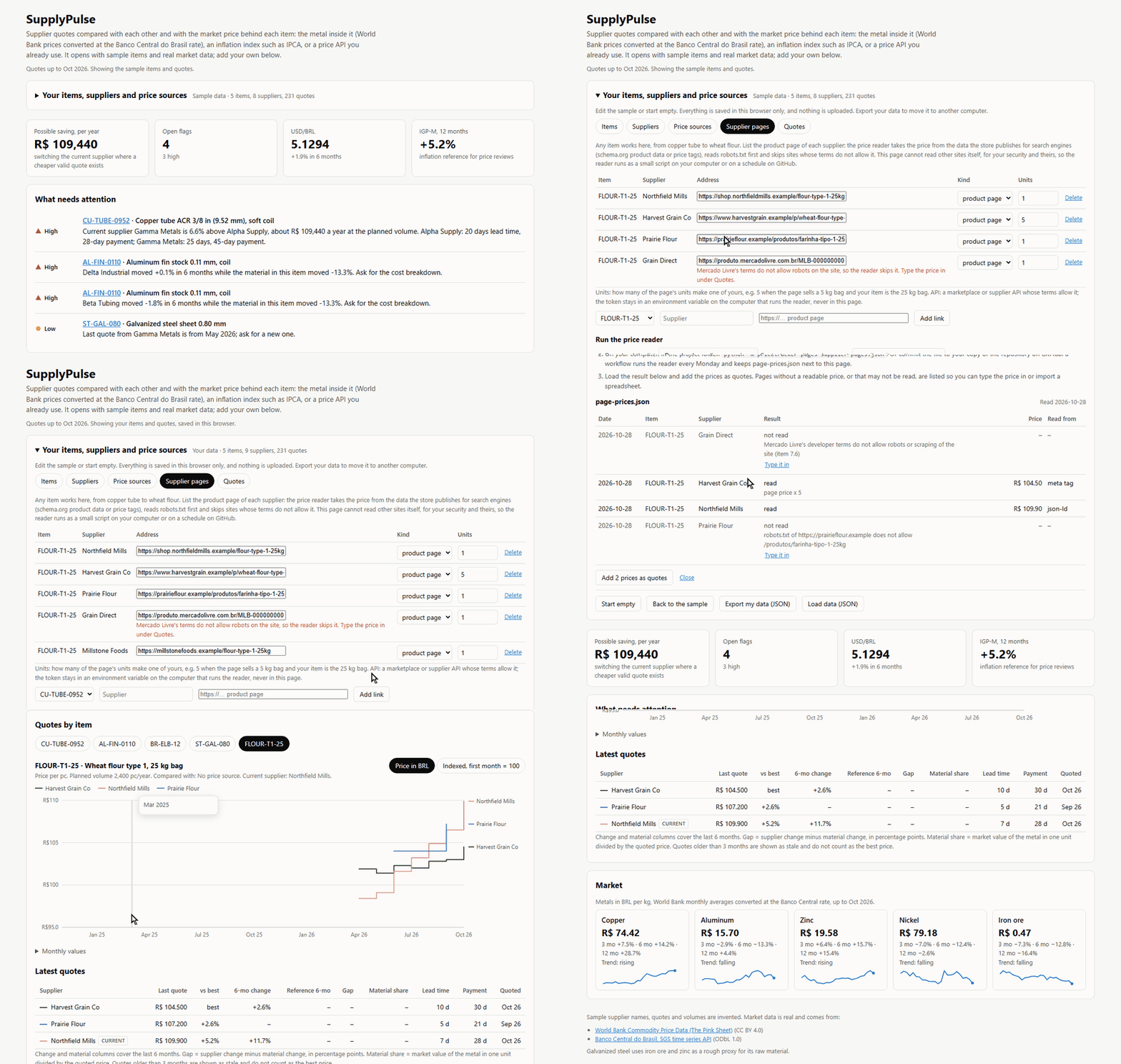
The problem
Buyers get new quotes every month and have little to check them against. A supplier asks for 12% more, but did copper go up 12%? Is the current supplier still the cheapest, and which quotes are too old to use?
Who it is for
- Purchasing teams buying metal parts, raw material, packaging or food ingredients
- Small and mid-size manufacturers without a spend analysis tool
- Cost engineers getting ready for a price review with a supplier
How it works
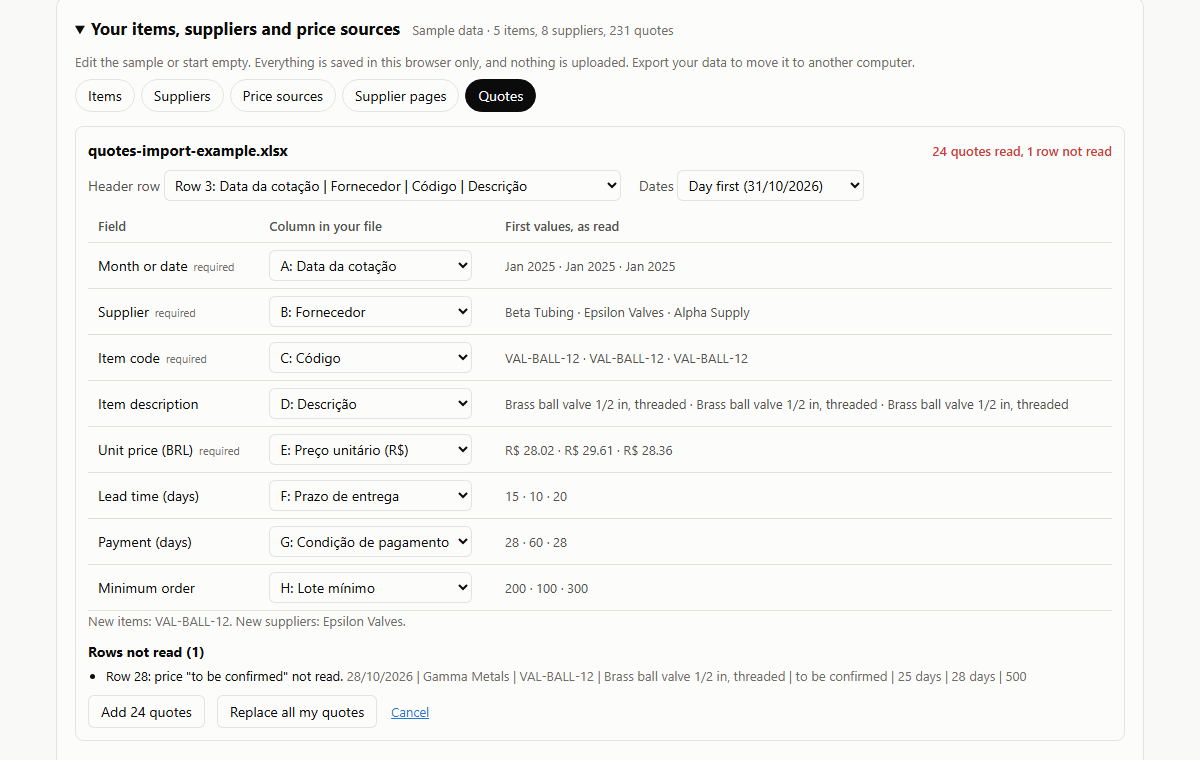
- Add your items and suppliers, or import your quote log from Excel or CSV. Column names are matched for you, in English or Portuguese, and you can fix the match before importing.
- Pick what each item is compared with: the metals inside it (World Bank prices converted to BRL), an index from Banco Central such as IPCA, a price API you already pay for, or the price on each supplier's product page.
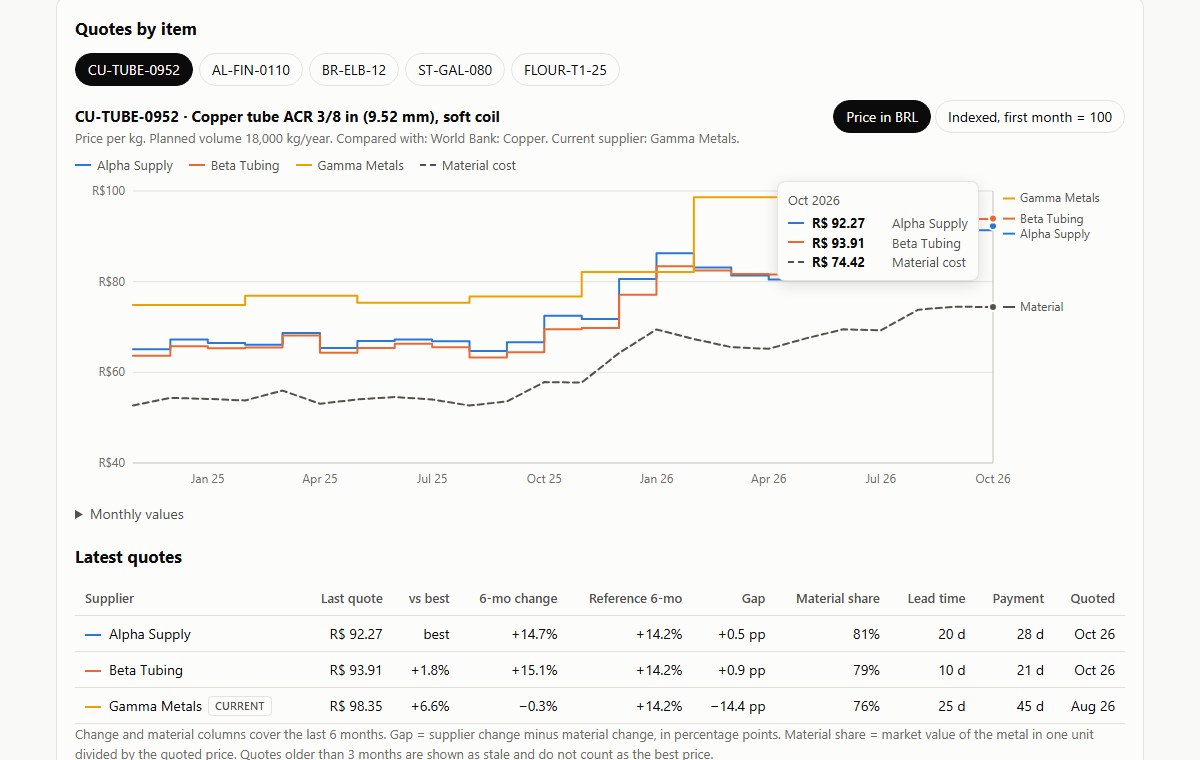
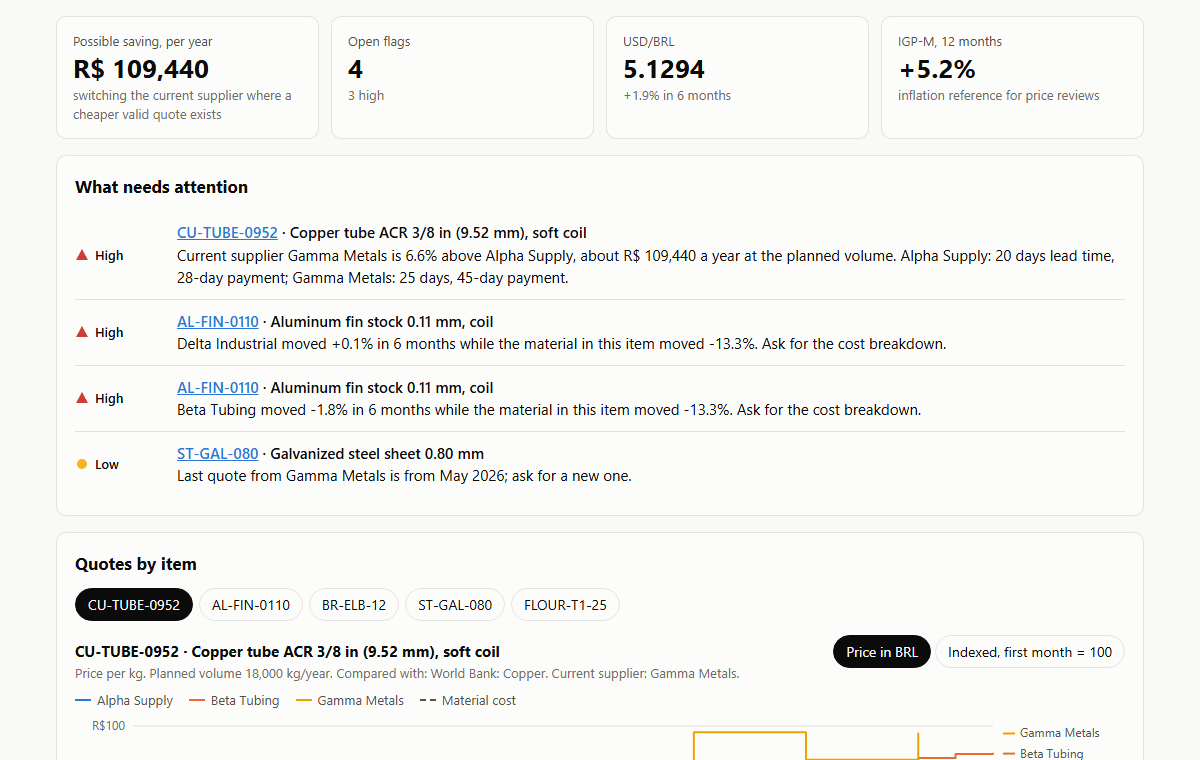
- Read the flags: a current supplier above the best valid quote and what that costs per year, suppliers raising prices faster than their costs, and quotes older than three months.
Bring your own sources
Any item works, from copper tube to a 25 kg bag of wheat flour. For each supplier you choose where the price comes from:
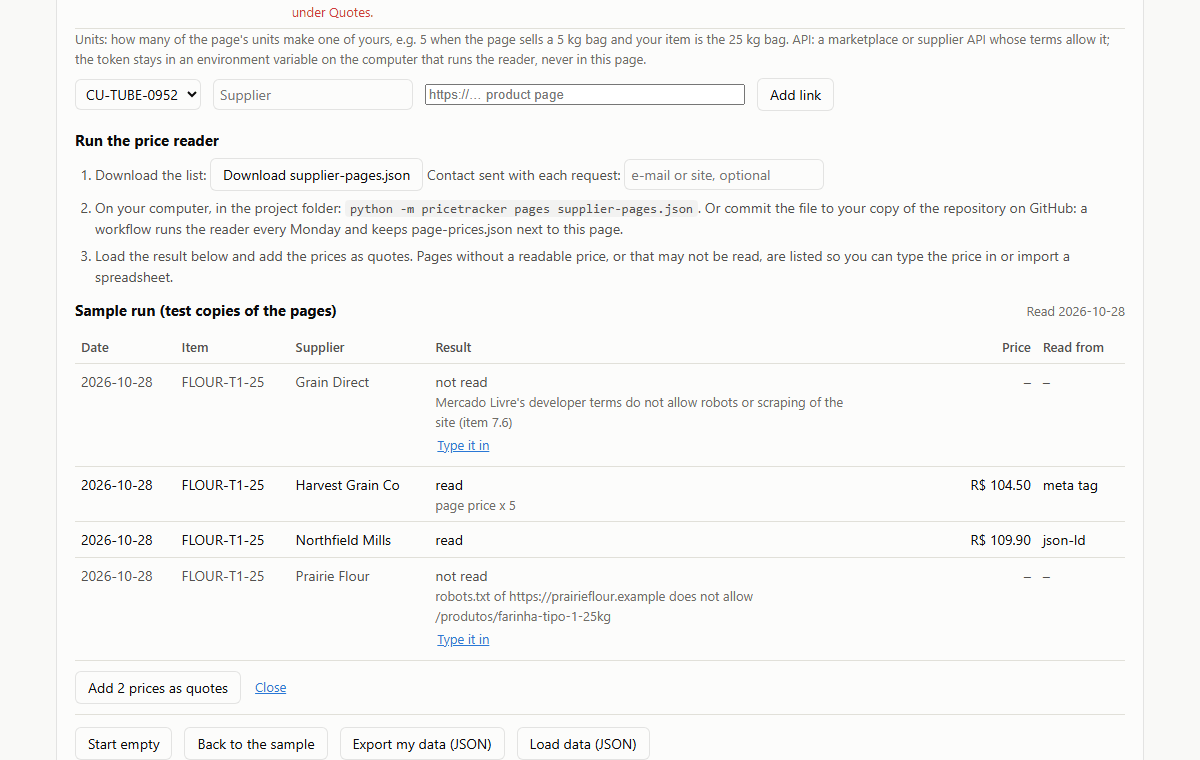
- The link to the product page. Paste the address of the product on each supplier's site. A small price reader takes the price from the data the store already publishes for search engines (schema.org Product and Offer, in JSON-LD or microdata, or price meta tags), reads robots.txt first and waits between requests. A web page cannot read other sites, for your security and theirs, so the reader runs outside the browser: on your computer, or every Monday on GitHub Actions. It writes one file, page-prices.json, and the page shows it.
- A marketplace API, where its terms allow it. Mercado Livre's developer terms forbid robots on the site and allow the API only for uses that improve the marketplace itself, with written permission needed for price statistics, so it is left off. Amazon's conditions of use rule out robots too.
- Typing the price in or importing a spreadsheet, for pages with no readable price or that may not be read. The reader lists those, each with a link to type the price.
Screens
About the demo
The demo opens with five sample items. Suppliers, quotes and volumes are invented; metal prices, the dollar rate and IGP-M are real data from the World Bank and Banco Central do Brasil. The wheat flour item shows prices read from supplier product pages, using test copies of the pages. Anything you add is saved in your browser only.
What a full version would add
The demo covers the daily work. Set up for a company, it would also have:
- Market data refreshed every month on a schedule, with more sources such as steel, resin and freight indexes
- One shared database for the purchasing team instead of one browser
- Quotes read from the ERP or from supplier emails, without a spreadsheet in between
- Email alerts when a new flag appears
- Other currencies besides BRL